When a guest says “it was already like that,” you have the tape.
TurnAudit records a before-and-after video walkthrough of every turnover, timestamps it, and files it by property and stay. The day a dispute starts, the walkthrough from that stay is already there to send.
Comparing turnover tools? Start with five questions about capture, filing, and review.
The host who built TurnAudit was spending 10–15 minutes per turnover, three times a week, scrolling 100+ photos and 10+ videos. The aim was a consistent record that is faster to navigate.
Free trial: 1 property, 5 turnovers or 14 days. See trial details
Your free trial covers one property for up to 5 documented turnovers or 14 days from your first trial turnover, whichever comes first, with one pre-clean and one post-clean AI review (properties up to 10 rooms). No card. Each turnover's record stays viewable and exportable for 90 days from when it was recorded. AI review is advisory. It does not determine damage, responsibility, cleanliness, or eligibility for any claim or reimbursement.
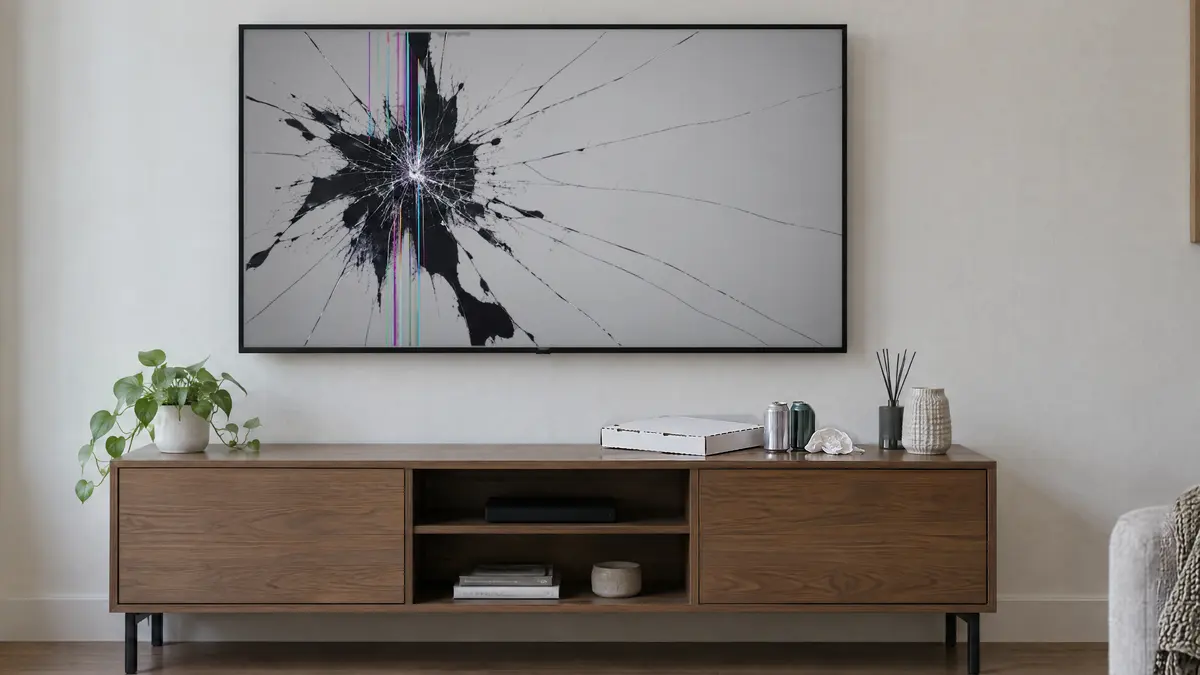

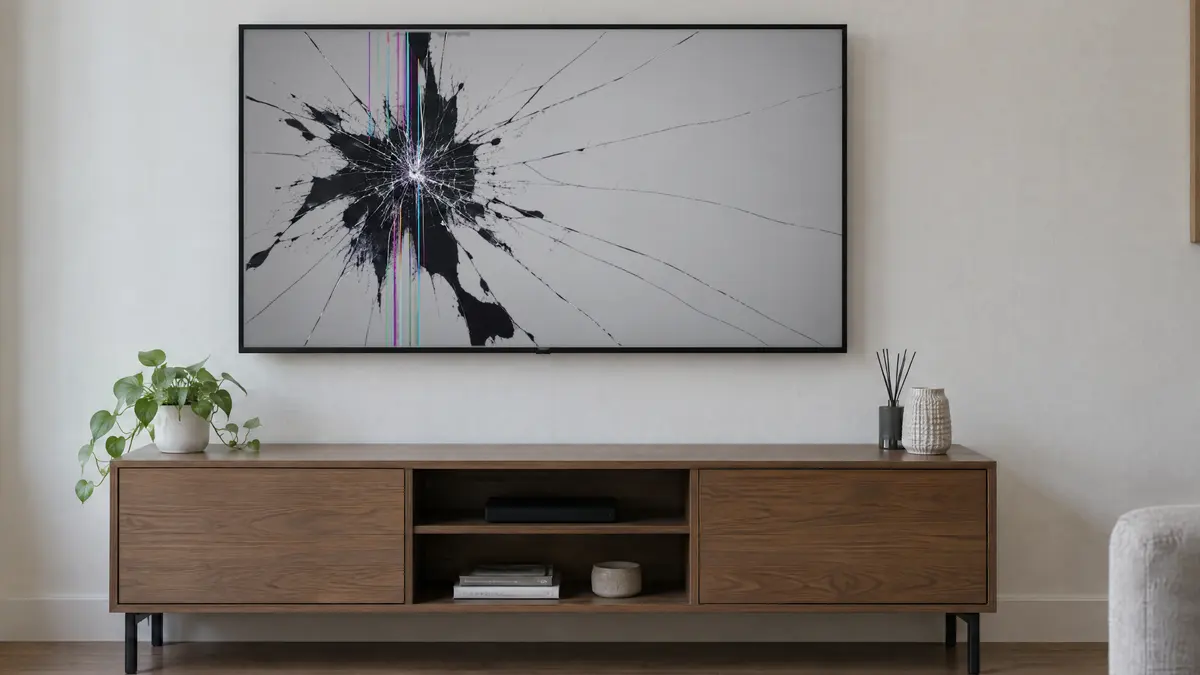
Damage requests need a clear condition record.
A countertop is cracked, a sofa is stained, or a door is broken. Photos taken only after the concern appears can show current condition, but may provide little routine comparison context.
Without a documented comparison record, it may be harder to show whether a condition changed between turnovers. The platform or insurer still decides what the record establishes.
An AirCover or resolution-center dispute may involve its own documentation and timing rules. TurnAudit does not interpret those rules or determine eligibility or outcomes.
TurnAudit keeps the advisory AI separate from your original recording, so you can go back to the walkthrough exactly as it was uploaded.
For direct bookings, a platform damage-protection program may not apply. Your agreement, deposit terms, insurance, and documentation each have their own role and requirements.
Your word against the guest’s.
A comparison record may help a reviewer assess whether the documented condition changed between turnovers.
Photos taken after the fact.
Photos made after a concern appears can document current condition, but may provide less comparison context than a routine before-and-after record.
Edited files raise flags.
Edited files can make provenance harder to assess. TurnAudit preserves the uploaded original and keeps derived AI material separate.
TurnAudit makes a routine before-and-after record easy to keep, and fingerprints each uploaded original so a later change to the file can be detected.
Why not just use video from your phone?
Camera-roll video can show a room, but it isn’t fingerprinted on upload, filed by stay, or organized into a package you can send. TurnAudit adds those records during the turnover workflow.
The report for a documented turnover.
This is the report format for a documented turnover. Shown with simulated data.
Evidence receipt · Sep 26, 2026
Original recordings and their verification state.
Layered claim package
Original evidence, advisory review, and host-supplied material stay clearly separated.
Example report: simulated data. Portfolio account: 20 turnovers documented, sealed, and timestamped.
Pass means the advisory review did not flag anything: it does not establish that no issues exist.
Walk, record, done. TurnAudit organizes the uploaded record.
Two short recordings per documented turnover. After upload, TurnAudit computes the digest, seals the original, and reports timestamp status.
What your cleaner sees: a secure link, room-by-room prompts, and a clear record of what was captured.
Record a quick guided walkthrough
After guest checkout, your cleaner signs in from their phone browser and records a short pre-clean walkthrough, room by room. No app installation is required. This records visible condition after checkout and before cleaning changes the scene.
15-45 seconds per room, with a 20-30 second target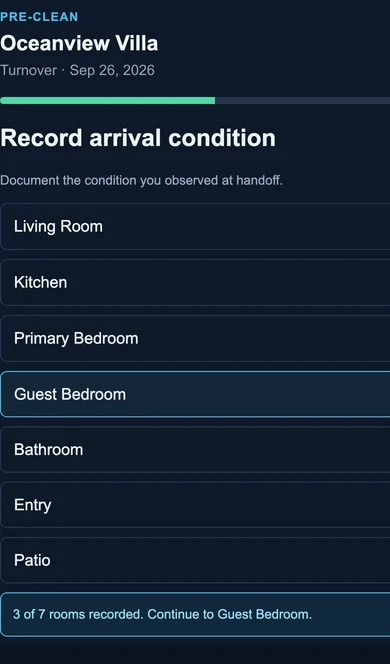
Concept preview: Oceanview Villa pre-clean capture, 3 of 7 rooms recorded on September 26, 2026.
Record again when the clean is done
After cleaning, the same guided walkthrough records visible post-clean condition along the camera path. Together, the pair adds before-and-after context without establishing complete coverage, guest responsibility, or the state outside the recorded views.
Same 3-5 minutes: the “before” for your next guest is the “after” from this one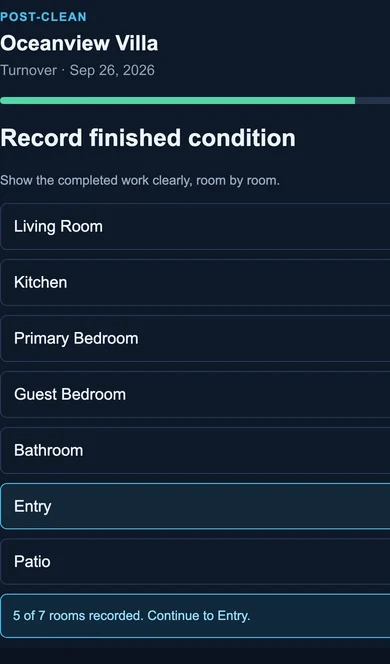
Concept preview: the same Oceanview Villa turnover post-clean, 5 of 7 rooms recorded on September 26, 2026.
TurnAudit seals the originals
After each recording uploads, TurnAudit computes a SHA-256 fingerprint from the stored bytes and requests an independent RFC-3161 timestamp. The receipt reports whether that timestamp was granted. The uploaded original is preserved byte-for-byte after upload, without filters, edits, or AI enhancement.
Automatic: uploaded original retained about 12 months from capture; export to keep longerReview with a second set of eyes
When you select a credit-based AI review, TurnAudit reviews the chosen walkthrough and surfaces a short list of spots worth a look, such as possible stains, damage, missing items, and things left behind. Post-clean is the default single review; pre-clean is an optional second review. Each spot links to a moment in the video. It is advisory triage, not a verdict: it can miss things and sometimes flags things that turn out to be fine. You can confirm or dismiss flags, and should review the original before relying on a finding.
Every flag links to the footage · Dismiss with one tap · You make the callAI findings are advisory. In the export, they appear only in Tier 2, clearly labeled as not evidence.
Advisory review · 3 spots worth checking
Each observation links to the original recording. Confirm or dismiss it after review.
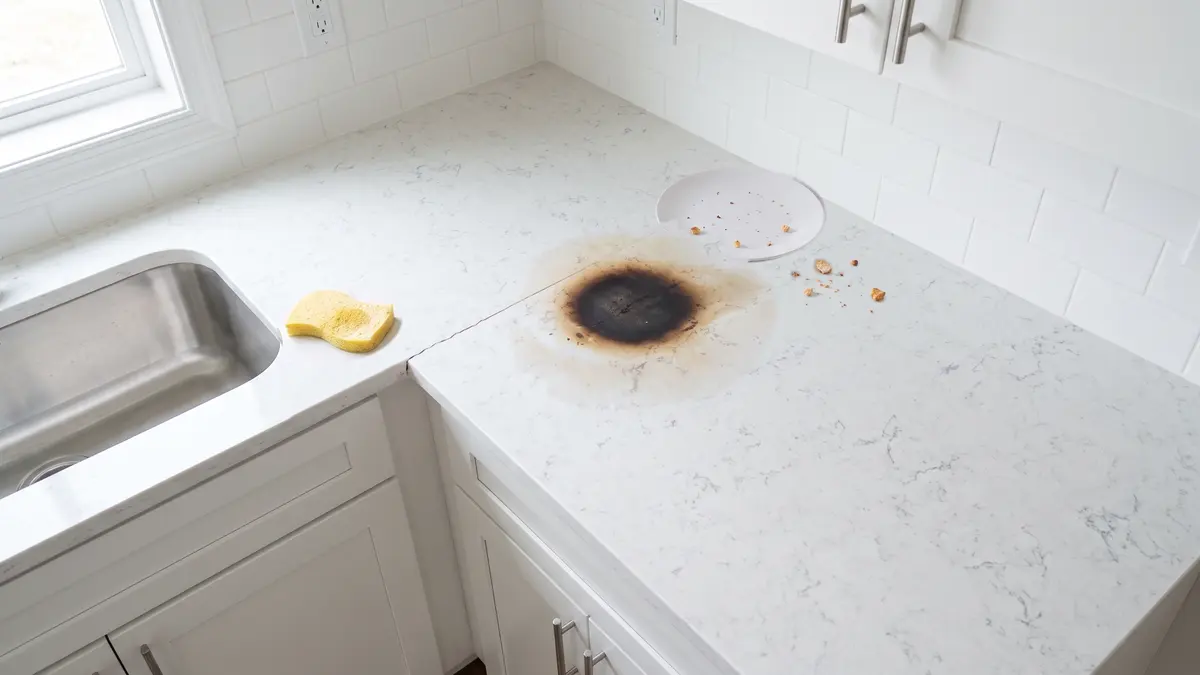
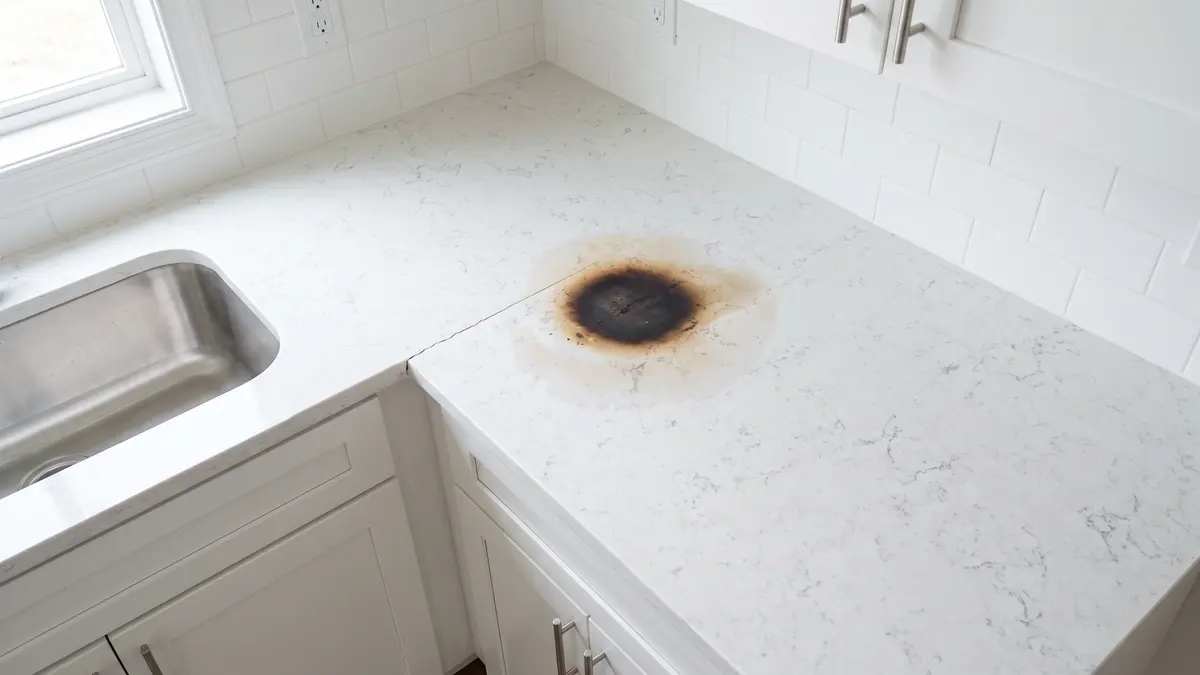
Example report: simulated data.
A short record of the condition you walked into and the work you completed.
The host should include the walkthrough in the paid turnover scope: 15-45 seconds per room before cleaning and again after the clean.
Know what is recorded
The host should explain the walkthrough before work begins. Record property rooms, not people or private conversations.
Audio stays off
TurnAudit requests camera video with audio muted during recording.
Document both sides
The pre-clean walkthrough records the condition you arrived to. The post-clean walkthrough records the work you completed. The pair supports a clearer review without determining blame or payment.
Check the uploaded file and any granted timestamp token with standard tools.
Tier 1 includes the sealed uploaded original, its SHA-256 fingerprint, and RFC-3161 timestamp verification material when granted. Those materials support independent file-integrity and timestamp checks. They do not independently establish when or where a recording was made, who made it, what caused a condition, or whether a claim is covered.
See how the file-integrity check works
Uploaded originals
TurnAudit preserves the uploaded file byte-for-byte after upload. AI analysis uses derived copies and stays separate. These controls describe the uploaded bytes; they do not independently establish capture circumstances or claim eligibility.
Cryptographic integrity
Each eligible Tier 1 uploaded original receives a cryptographic digest during upload processing. A later byte change produces a different digest. Anyone with the exported material can recompute the digest and compare it with the recorded value.
Independent trusted timestamps
When granted, an RFC-3161 token attests that the uploaded file’s SHA-256 digest existed no later than the timestamp time. Standard tools can check the digest and token. The token does not establish recording time, location, operator, cause, completeness, or claim eligibility.
A routine comparison record can add useful context.
The prior post-clean walkthrough can document a guest-ready condition before the next stay. The current pre-clean walkthrough is recorded after checkout and can document what the cleaner encountered. Together they support a comparison, but they do not independently establish who caused a change.
The un-generated files
The uploaded original videos, their integrity fingerprints, and timestamp tokens when granted. This is the evidence layer.
The navigation layer
A human-readable summary with room index, key moments, and AI-assisted notes. Clearly labeled advisory and not evidence.
The supporting material
Optional damage items, amounts, receipts, estimates, and supporting documents, separate from the sealed original.
Organized to support review: sealed uploaded originals, integrity records, and timestamp verification material when granted.
Strong documentation supports a claim: it does not ensure one. Platforms and insurers decide claims under their own terms.
Advisory triage. Nothing more, and that’s the point.
A 5-minute walkthrough contains a lot of rooms and a lot of surfaces. When you choose an optional, credit-based AI review, TurnAudit reviews the selected recording and points you at moments worth your attention. Post-clean is the default single review; pre-clean is optional and uses another room-tier credit. Here’s what we want you to know before you buy:
- It will miss things. Treat it as a helpful reviewer, not a formal inspection.
- It will sometimes flag things that are fine. Every flag links to the footage; dismissing a false alarm takes one tap.
- It stays separate from Tier 1. AI analysis uses derived copies and its notes live in a clearly labeled review layer. The uploaded original remains sealed after upload.
The value of TurnAudit is the verifiable record. The AI just saves you time using it.
What the advisory review looks for.
Specific advisory flags: each one references the moment in the original recording.
AI findings are advisory: you make the call on every flag.
Portfolio-level reporting. Not just alerts.
Track cleaners, properties, issue patterns, and verification trends across your entire portfolio.
This supports fair cleaner conversations, too: the pre-clean record helps distinguish the condition at arrival from work completed during the clean.
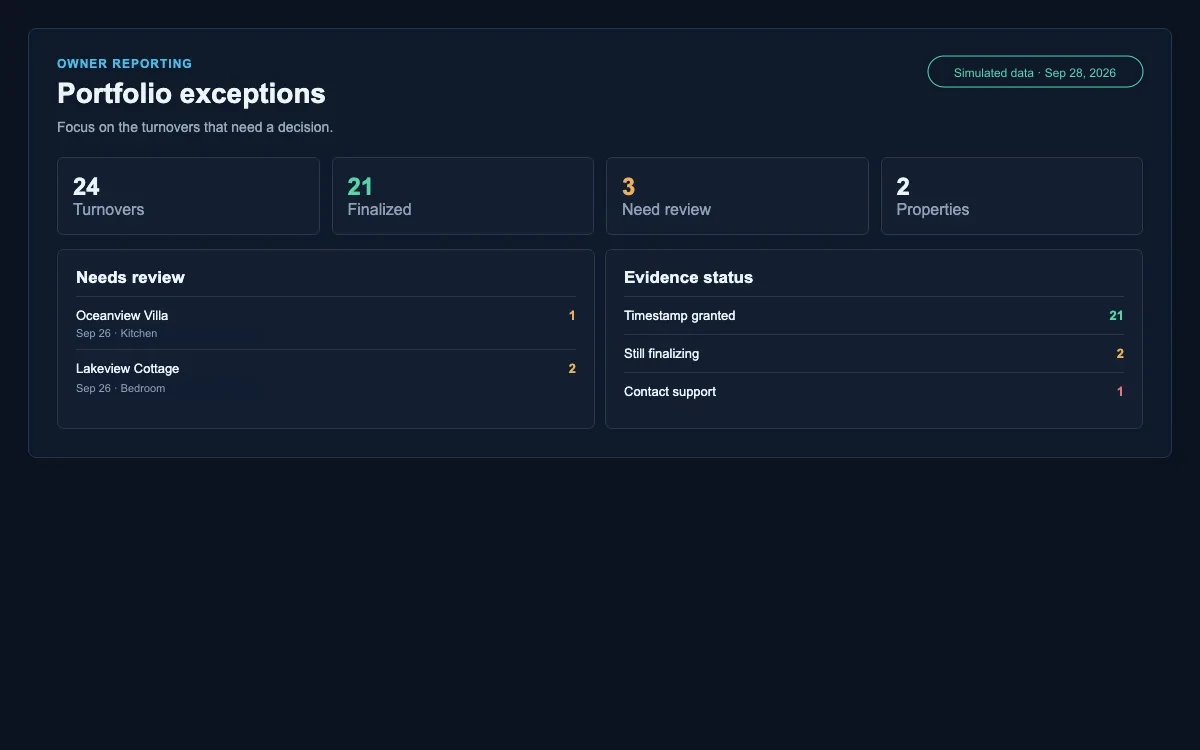
Concept preview: populated owner exception queue with simulated September 26 through 28, 2026 data.
See how a TurnAudit export is organized.
A real export contains sealed originals and RFC-3161 verification materials when granted. This representative SAMPLE includes purpose-built synthetic recordings and deliberately invalid timestamp artifacts, so it cannot verify as a production record.
- 0000_INTEGRITY_MANIFESTSAMPLE manifest with SHA-256 digests for the included synthetic recordings and explicit non-verifiable status.
- 0101_VERIFIED_ORIGINALSPurpose-built synthetic SAMPLE recordings demonstrate where sealed originals appear in a real export.
- 0202_READABLE_COPIESHuman-readable copies and the advisory AI review, clearly labeled not evidence.
- 0303_TRUSTED_TIMESTAMPSDeliberately invalid SAMPLE request, response, and certificate files demonstrate timestamp-artifact placement.
- 0404_HOST_SUPPLIED_SUPPORTING_MATERIALA fictional itemized loss with host-supplied values demonstrates this folder's layout.
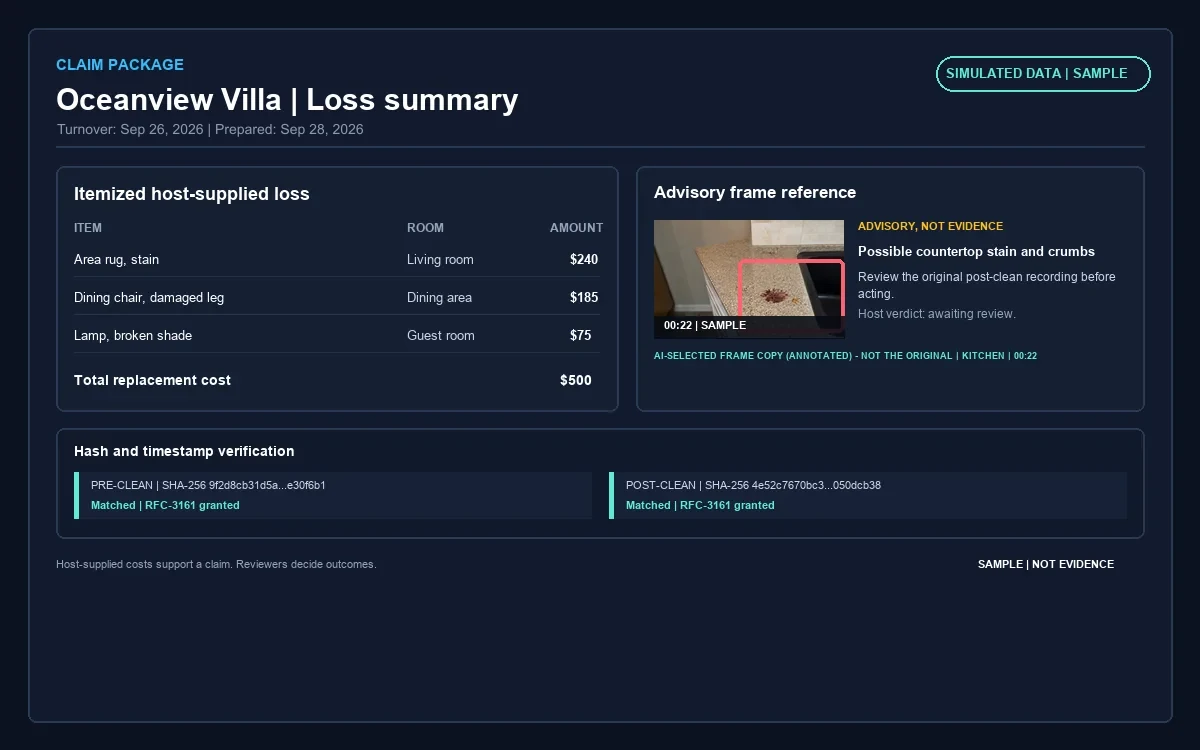
- 1Property and turnover header
- 2Itemized loss and host-supplied costs
- 3Advisory frame references for each item
- 4SAMPLE limitations for synthetic originals and invalid timestamp materials
Concept preview: Oceanview Villa itemized loss and three-tier folder map, prepared September 28, 2026.
Example report: simulated data.
Same standard. Any scale.
Whether you manage 1 home or 15, TurnAudit adapts to your portfolio.
You are the host, operator, and reviewer. TurnAudit gives you a documented condition record and an advisory second set of eyes, so you can review a turnover without being on-site.
Multiple cleaners, overlapping schedules, and no way to be everywhere. TurnAudit shows you who's consistent, where issues repeat, and which properties need attention.
At scale, condition questions can be harder to spot across properties. TurnAudit organizes portfolio-level views with property-by-property detail.
Same baseline logic. Same walkthrough process. Same verification material structure. Every plan.
Your footage is evidence. We treat it that way.
Encrypted
Recordings are encrypted in transit and at rest. Access is scoped to your account: cleaners see only what they need to record.
Handled honestly
Hosts and cleaners are instructed to record the property, not people, in the empty unit after checkout. When you select AI review, footage is processed by trusted third-party AI providers to generate advisory results. TurnAudit does not use walkthrough media or confirm/dismiss feedback to train or improve detection models unless you explicitly opt in, and you can withdraw consent at any time. AI processing uses derived copies and does not modify the sealed uploaded original.
You own your records
During retention, export the originals, digests, and timestamp tokens when granted. Preserve the package to check it outside TurnAudit. Locked originals are retained about 12 months from capture, so export before that period ends to keep them longer.
Confirmed sealed
A per-turnover evidence receipt shows Sealed, Timestamp granted, Still finalizing, or Contact support. It is a durability service objective and a visible status check, not a promise of claim outcomes.
Choose the documentation and review capacity that fits your portfolio.
$19/month for your first property, $12/month for each additional, up to 25 properties. Billed annually: $15/month for your first property and $10/month for each additional.
RFC-3161 timestamps · integrity-hashed originals · WORM-sealed · advisory AI kept separate.
Standard
$19/month for your first property, $12/month for each additional, up to 25 properties. Billed annually: $15/month for your first property and $10/month for each additional.
$19 for your first property + $12 × 0 additional
Includes 2 AI review credits per month
That is 2 AI reviews of properties with up to 10 rooms.
What's included
- Turnover documentation for every property: before-and-after video walkthroughs, sealed uploaded originals with integrity hashes, and timestamp status in one record.
- AI review credits: 1 per property each month, plus 1 extra for your account. Credits are shared across your properties and reset every month. Most hosts review the post-clean walkthrough; add a pre-clean review when you want a second angle.
- One credit covers one AI review of a walkthrough (pre-clean or post-clean). Properties with 11 or more rooms use 2 credits per review.
- AI review is advisory. It does not determine damage, responsibility, cleanliness, or eligibility for any claim or reimbursement.
- Need more reviews? Extra credits are $6 each.
- Up to 15 documented turnovers per property each month. Beyond that, $1 per turnover, charged only after you approve it.
- A baseline analysis for every property, plus up to 4 baseline re-analyses per property in any 12-month period.
No card needed to start. You're only charged if you subscribe. Cancel anytime; your plan stays active until the end of the paid period.
AI review is advisory. It does not determine damage, responsibility, cleanliness, or eligibility for any claim or reimbursement.
What trial users receive
Start your free trial now. Trial users receive priority onboarding.
Turnover questions are easier to review with a routine condition record.
TurnAudit was built to give every property a structured condition record: a baseline, guided walkthroughs, integrity checks on upload, and advisory review kept separate from the original.
Read why TurnAudit was builtFrequently asked questions
Build the condition record before you need it.
Routine before-and-after recording creates comparison context before a concern arises. A missing recording can leave less context, though other documents may still matter.
Start your free trial and get a free turnover documentation checklist.
Your free trial covers one property for up to 5 documented turnovers or 14 days from your first trial turnover, whichever comes first, with one pre-clean and one post-clean AI review (properties up to 10 rooms). No card. Each turnover's record stays viewable and exportable for 90 days from when it was recorded. AI review is advisory. It does not determine damage, responsibility, cleanliness, or eligibility for any claim or reimbursement.
 Payments are processed by Stripe